The bridge between your coding agent and you.

Your agent writes the specs and plans on your Mac. SpecDock lets you read them on iPhone, decide right where the spec needs action, and hand your review back in a form the agent can read.

Get early access

Coming soon to the App Store

Requires the free Mac CLI review-server companion and an iPhone with iOS 26 or later. SpecDock is not a standalone Markdown editor.

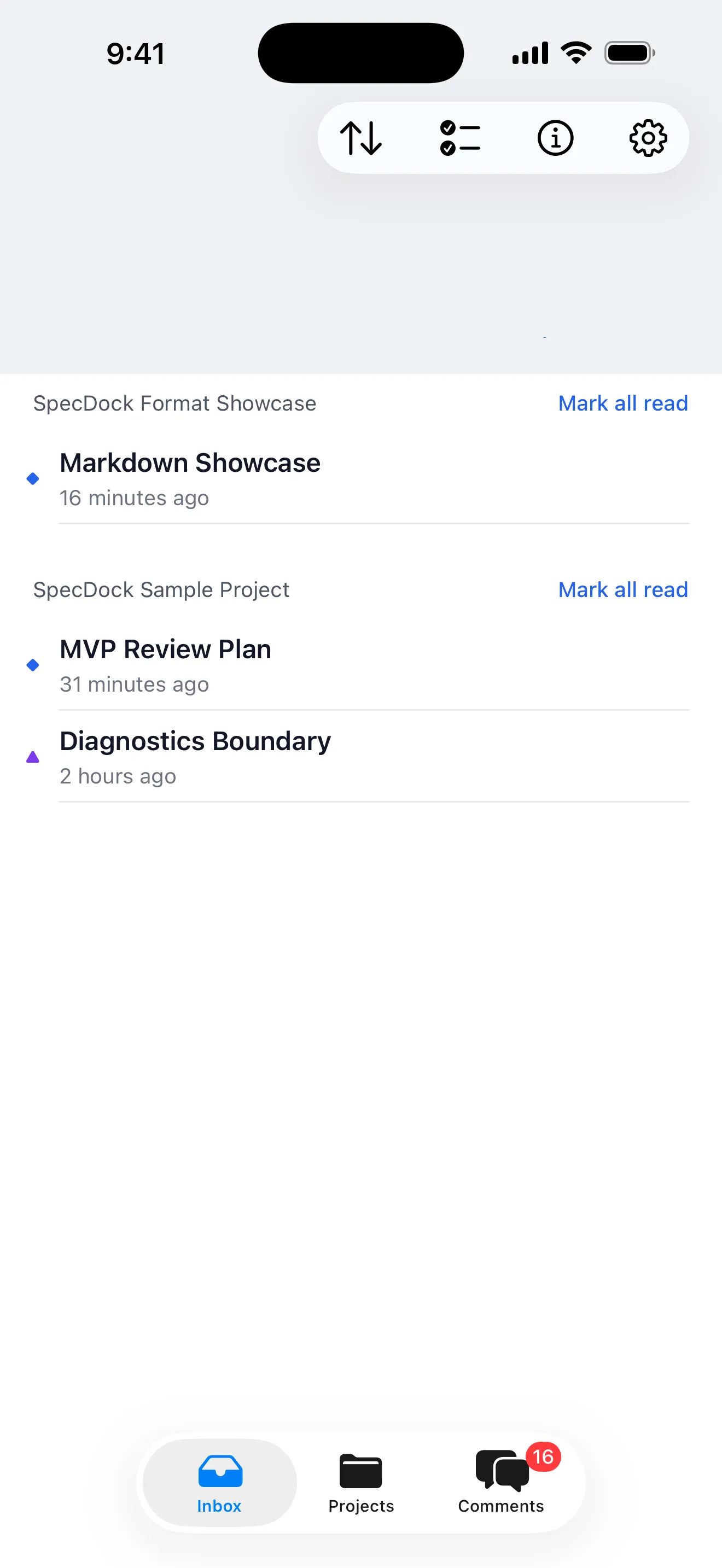
SpecDock's Review Inbox showing two projects with new, changed, and needs-recheck documents.

Every project's review queue, in one inbox.

Your coding agent writes more than you can read.

Specs, implementation plans, design notes, handoff docs: your agent produces Markdown all day. Reading it, judging it, and getting your decisions back to the agent is still stuck at your desk.

SpecDock is the return path.

Mac / coding agent

npx specdock@latest init

read comment handoff

iPhone / you

How it works

  1. Read

    Read the long specs your agent wrote, on iPhone.

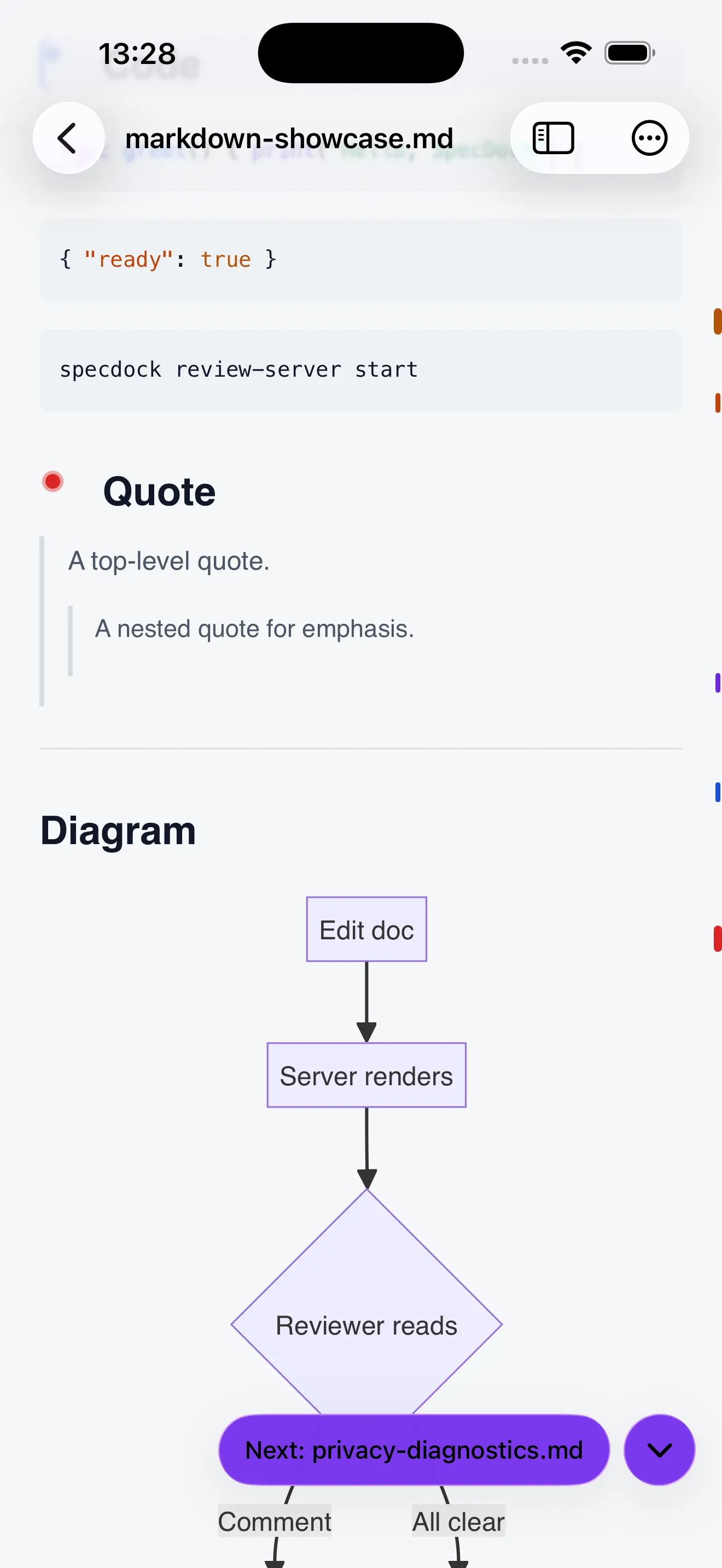
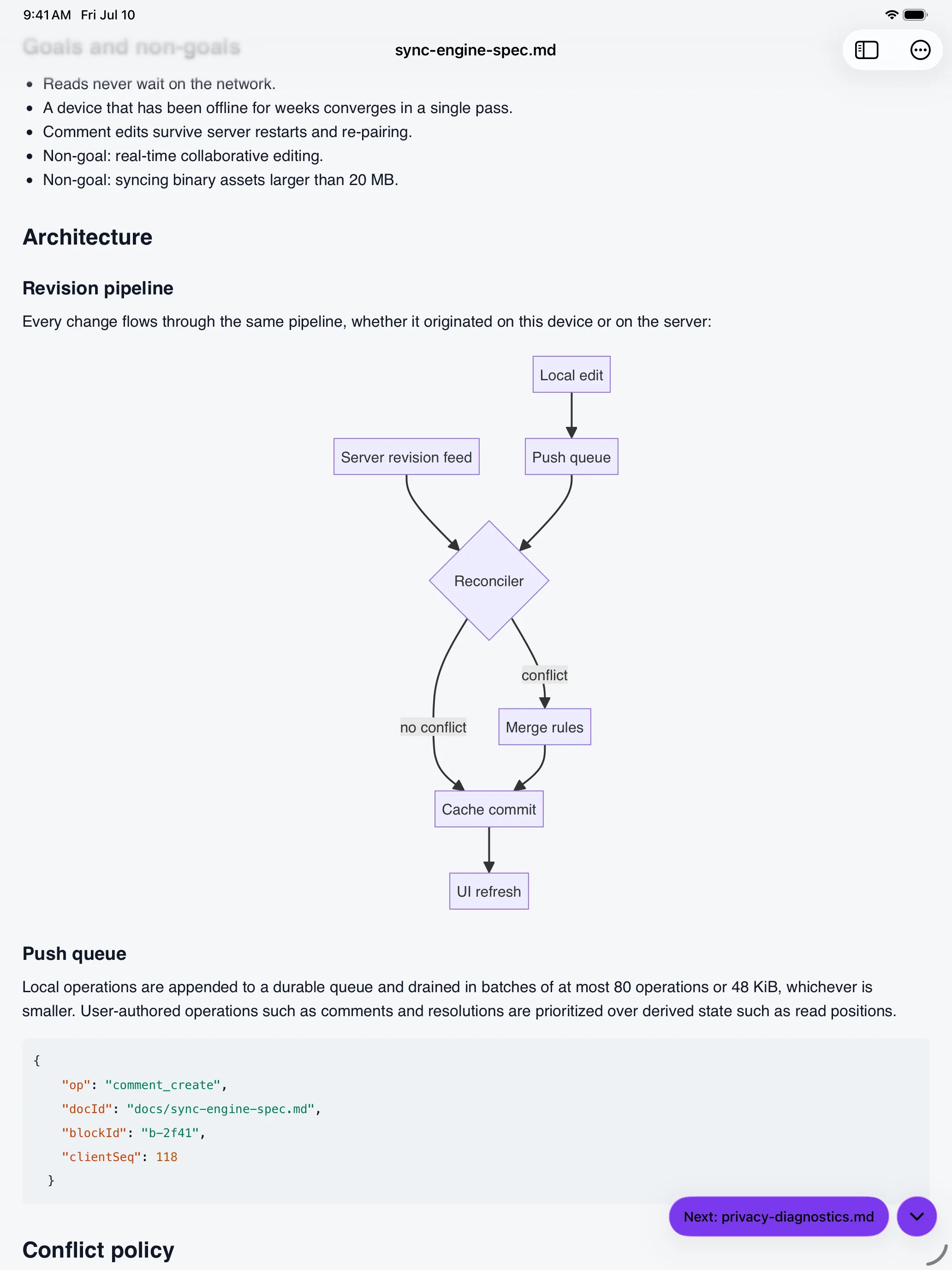
    Full Markdown rendering: headings, tables, task lists, blockquotes, syntax-highlighted code, inline images, and Mermaid diagrams.

    Rendered Markdown, code, and diagrams.

    SpecDock's document reader rendering headings, a code block, and a Mermaid diagram.
  2. Comment

    Leave a Must, a Question, an Idea, in words your agent understands.

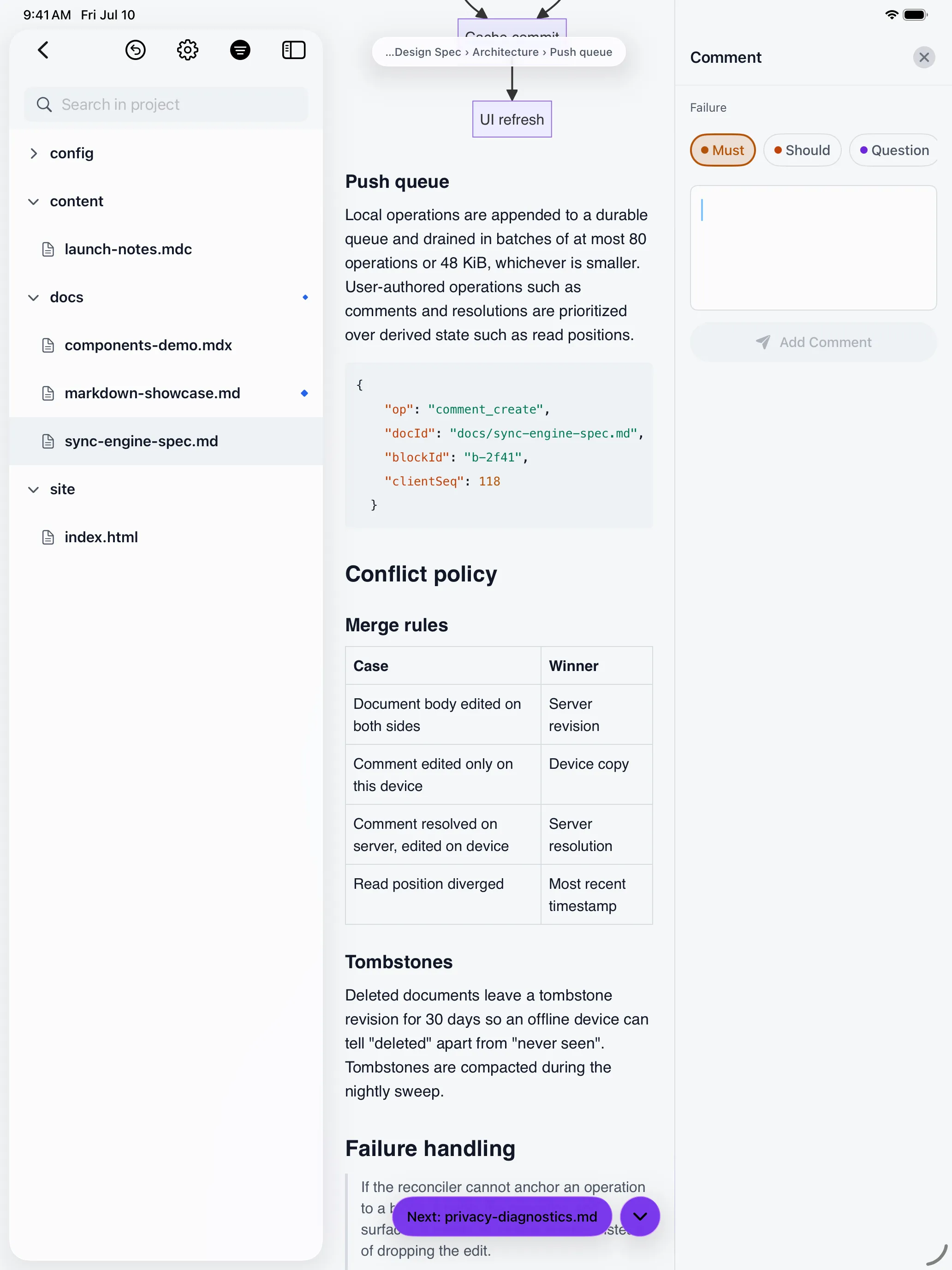
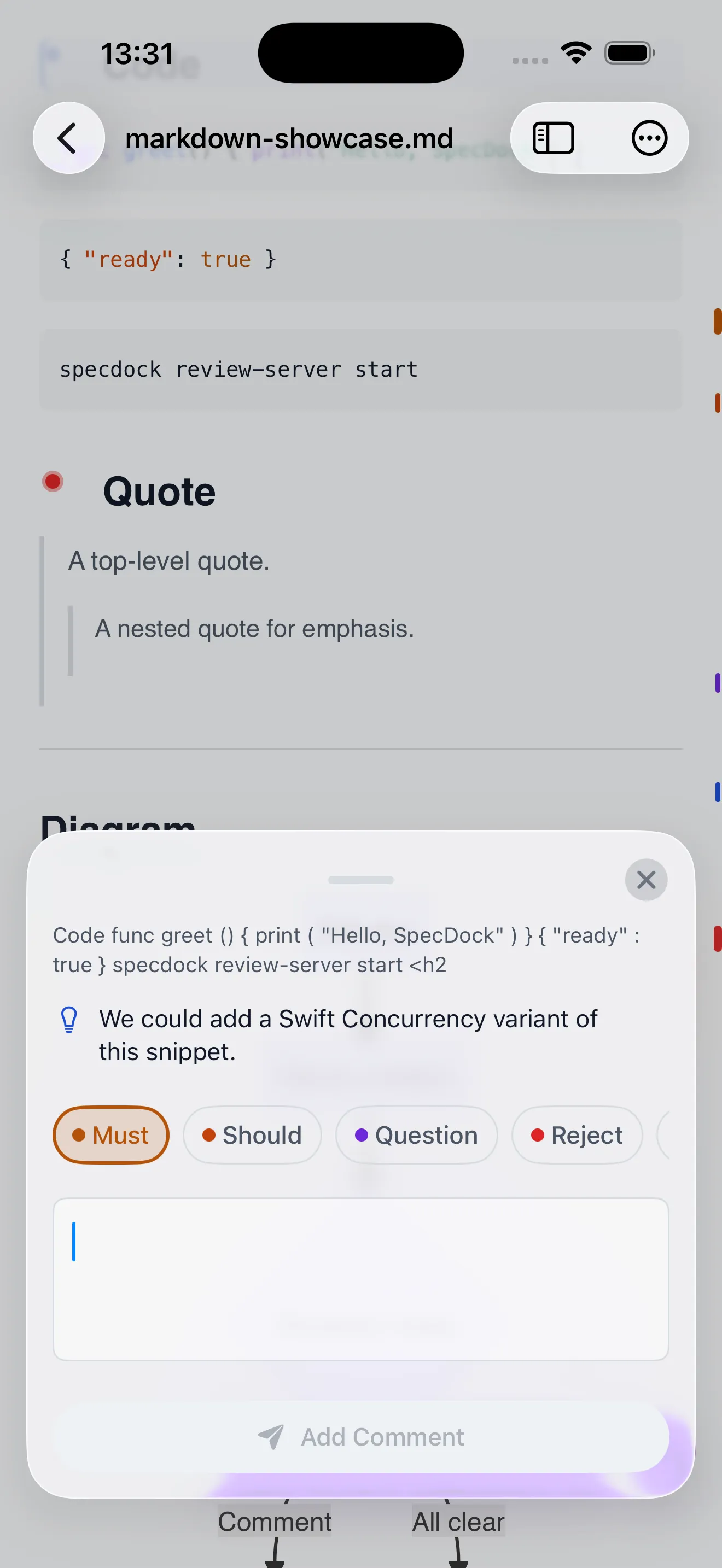
    Tap a passage to comment, or select text to quote it, then pick a severity: Must, Should, Question, Reject, or Idea.

    MustShouldQuestionRejectIdea

    A comment island with Must, Should, Question, and Reject severity chips over a quoted passage.
  3. Hand back

    Hand your review back to the Mac agent.

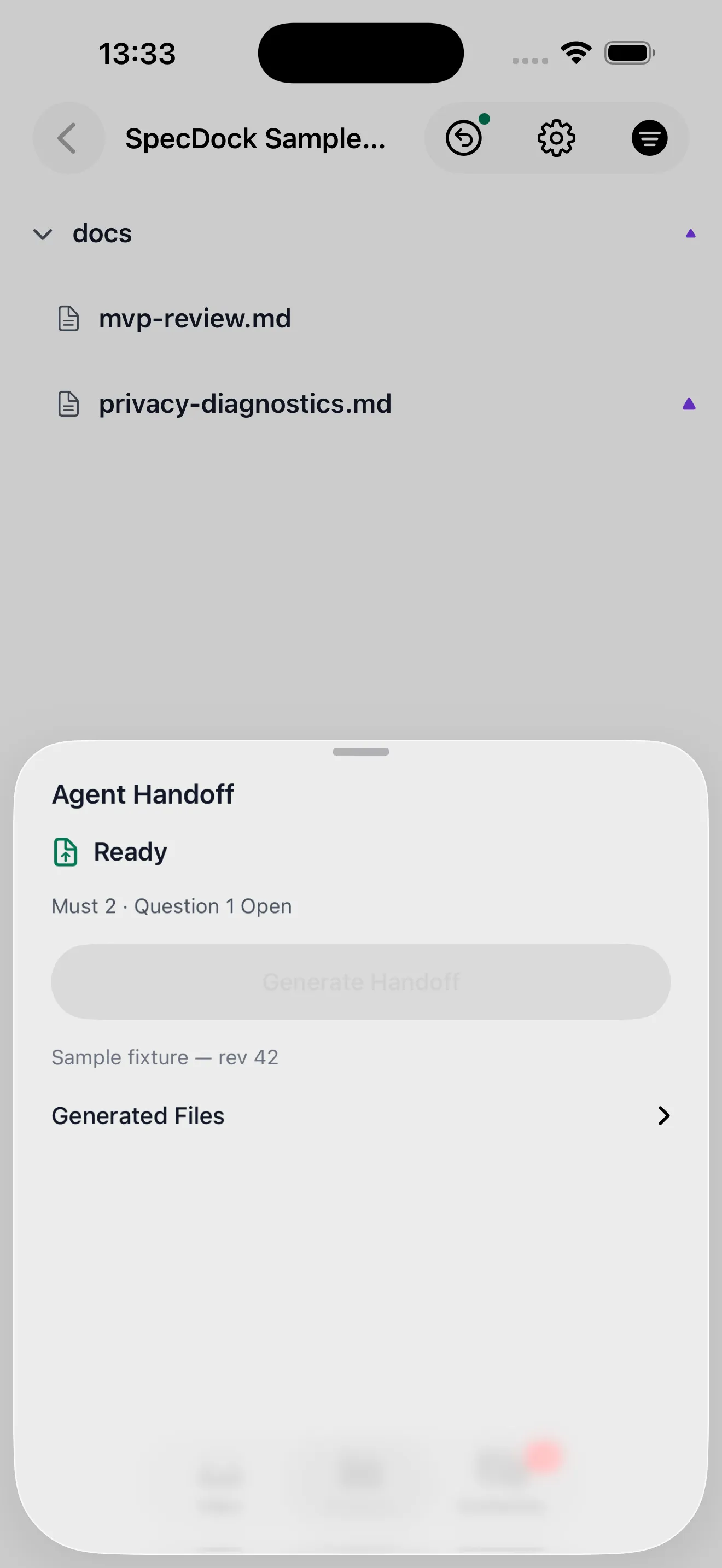
    When your comments are ready, SpecDock writes AI-readable review files to your Mac project's .specdock/review/ folder, including review.for-ai.md for the next coding step.

    AI-readable review files, generated for your agent.

    The Agent Handoff sheet showing review status and a Generate Handoff button.

.specdock/review/ updated

Inside the reader.

SpecDock's document reader rendering headings, a code block, and a Mermaid diagram.

Every heading, code block, and diagram, exactly as your agent wrote it.

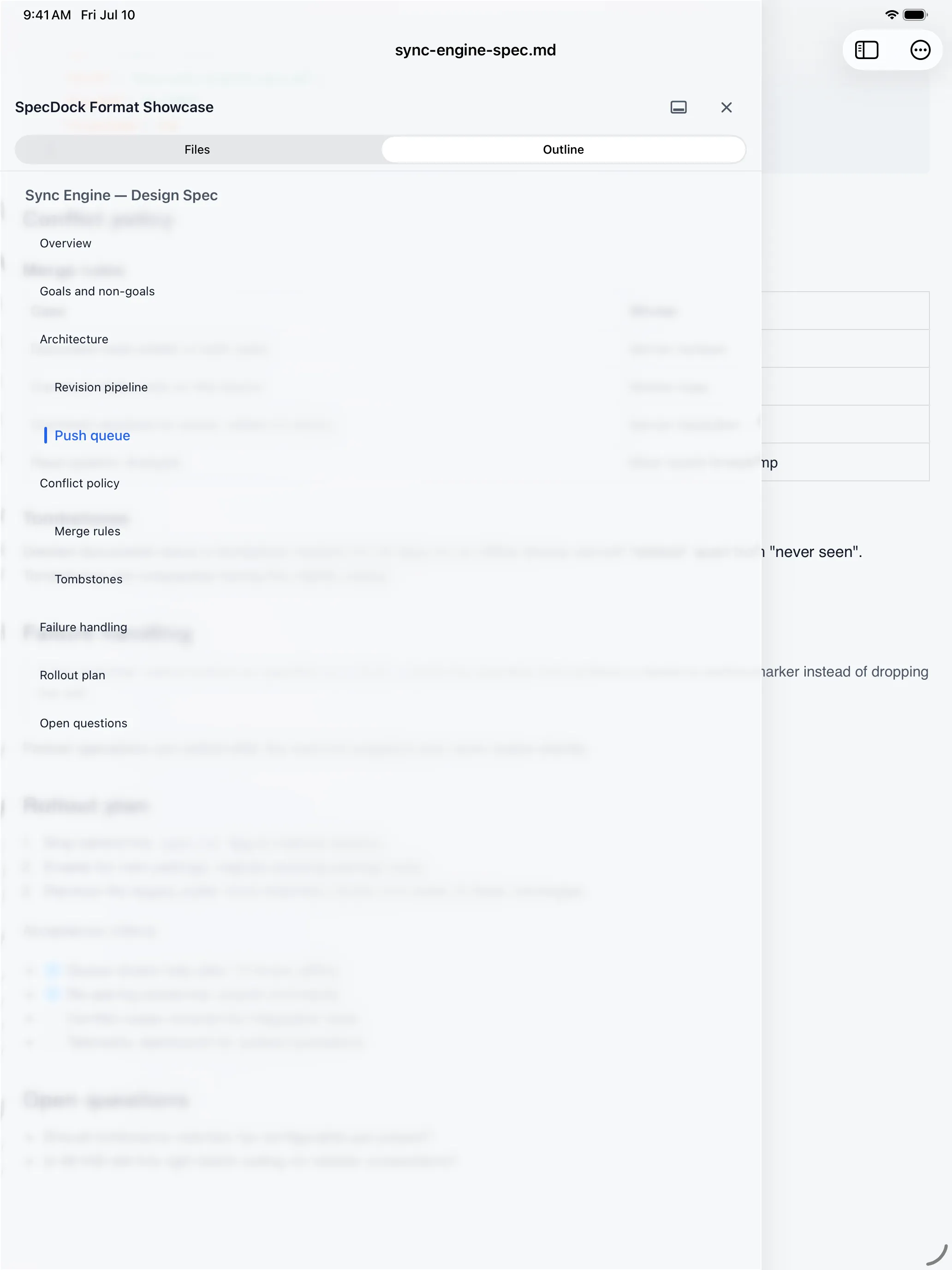
Full Markdown rendering: headings, tables, task lists, code, inline images, and Mermaid diagrams, with an Outline to jump between headings.

Rendered Markdown, code, and diagrams.
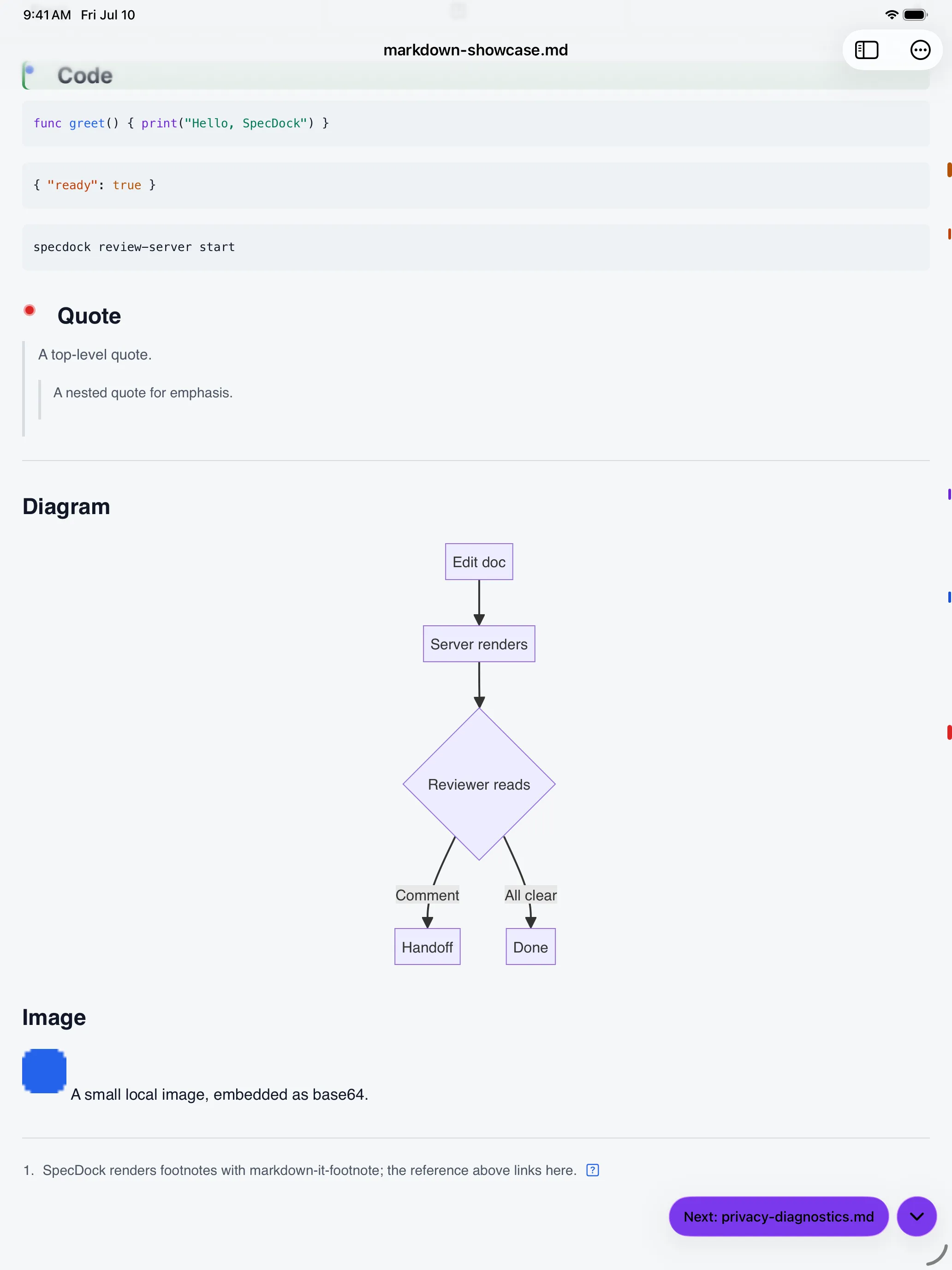
The Review Rail overlay marking changes and comments beside a reader document.

See what changed.

A thin Review Rail overlays the reader, marking changes, comments, and recheck positions beside the text.

Changes and comments, marked beside the text.

A comment island with Must, Should, Question, and Reject severity chips over a quoted passage.

Decide in place.

Tap a passage to comment and tag it with a severity your agent understands.

Must, Should, Question, Reject, Idea.

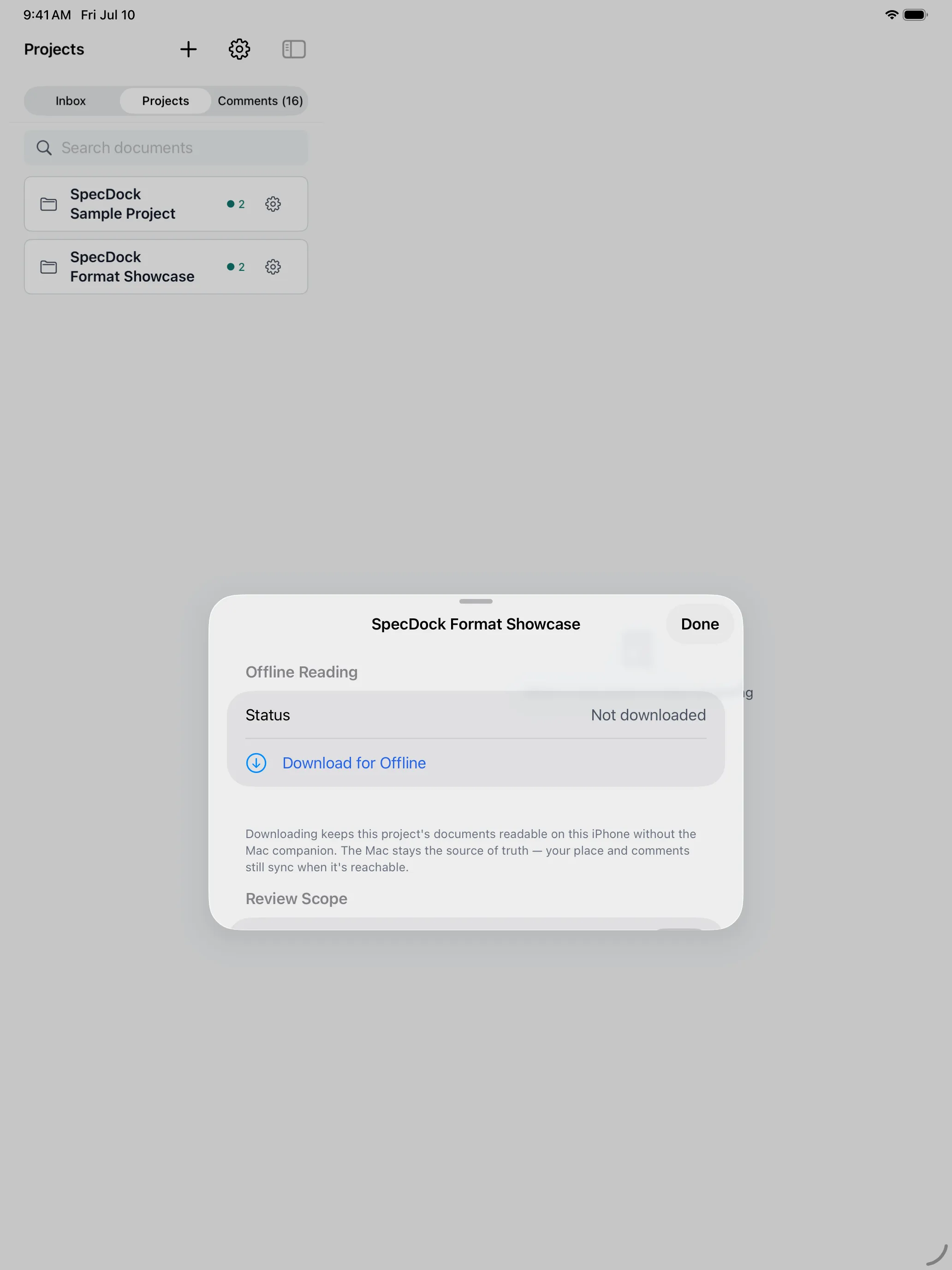
The Offline Reading sheet showing a project available to download for offline access.

Read offline.

Optionally download a project for offline reading. Off by default, no new cloud upload.

Download a project for offline reading, off by default.

The reader's Outline drawer for jumping between document headings.

Jump the outline.

Open the Outline to jump straight between headings in a long document.

Jump between headings with the Outline.

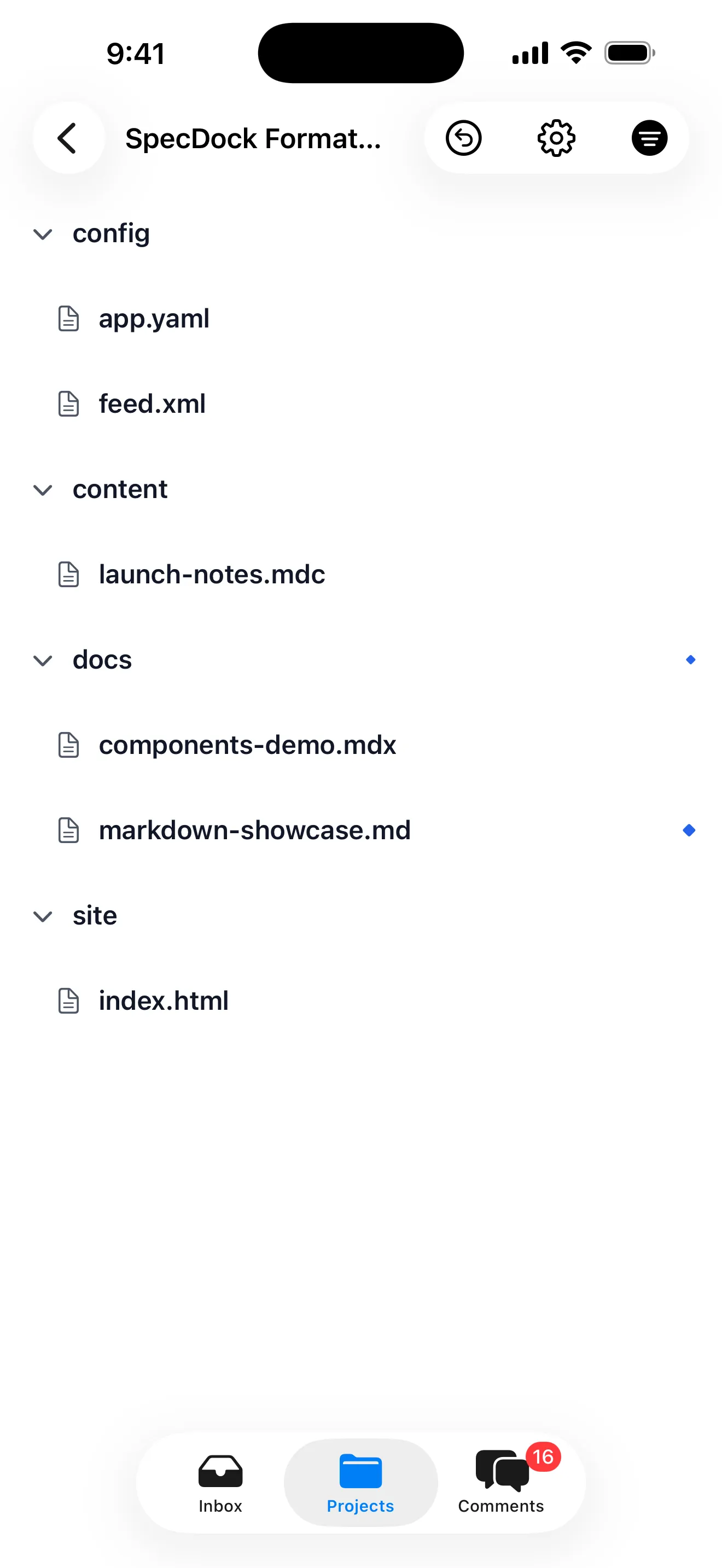
A project's full file tree, including non-Markdown files listed by name.
SpecDock's Review Inbox showing two projects with new, changed, and needs-recheck documents.

Every project's review queue, in one place.

New, changed, and needs-recheck documents from every project you're reviewing, gathered into a single Inbox, so the spec that needs you next is never buried in another repo.

New, Changed, and Needs Recheck, across projects.

Pro

One project free. Pro when you run many.

Read, comment, and review one project for free. SpecDock Pro unlocks unlimited projects, Comment Groups, custom comment tags, and Agent Handoff.

Your Mac is the source of truth.

Your documents stay between your Mac and your iPhone — SpecDock doesn't host your files.

Optionally download a project for offline reading. It's off by default and uses the same local connection to your Mac. Your place and comments still sync when it's reachable again. There is no new cloud upload.

Purchases are handled through the App Store. Your purchase state is stored under a random ID — no account, name, or email required.

Meet your agent halfway.

SpecDock is the bridge between your coding agent and you. Be there when it opens.

Coming soon to the App Store

iPhone first. Android and Mac apps may follow, depending on how it's received.

One email at launch. No spam.